


Applicable Scope
This guide applies to Gate App
Before you start: Ensure you have downloaded and installed the latest version of the Gate App
Estimated time: 5 m
Objective
This guide will walk you through how to set up your Gate Web3 Wallet and start trading using the Web3 trading feature on Gate App.
Steps
Step 1: Access the Web3 Section
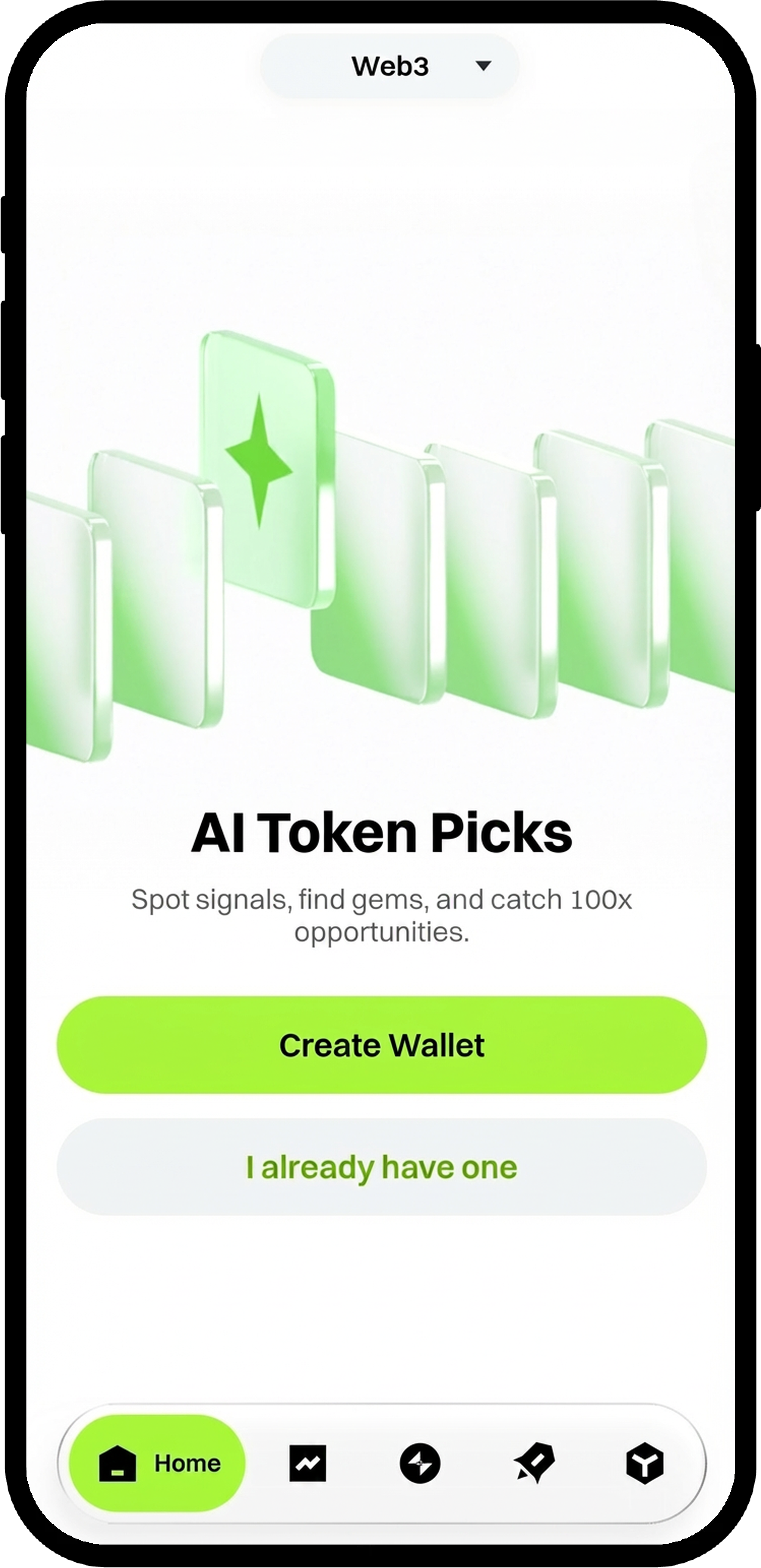
- Open the Gate App and locate the [Web3] tab at the top of the interface.
- Tap [Web3] to enter the Web3 section.
Step 2: Create or Import a Wallet
You have three options to set up your wallet:
Option A: Create a New Wallet
- Tap [Create Wallet].
- Set up a fund password following the on-screen instructions.
- Your wallet will be created instantly.
Option B: Restore from Cloud Backup
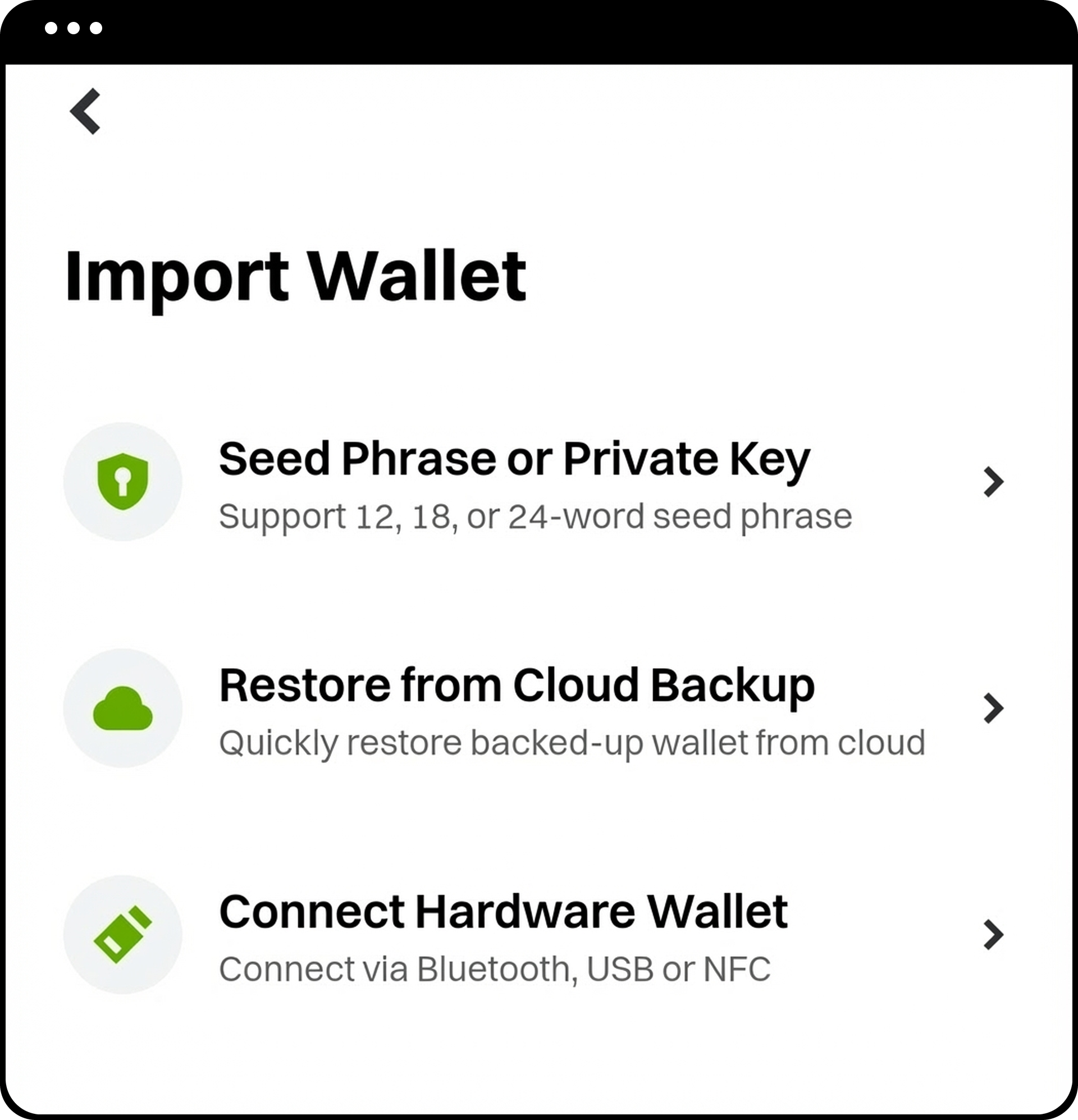
- Tap [I already have one].
- Select [Restore from Cloud Backup].
- Follow the on-screen instructions to restore your previously backed-up wallet.
Option C: Import an Existing Wallet
- Tap [I already have one].
- Select [Import Wallet].
- Follow the prompts to import your existing wallet.
Step 3: Deposit Assets into Your Wallet
After creating or importing your Gate Web3 Wallet, deposit assets by referring to the guide: How to Manage Assets in Gate Web3 Wallet App.
Step 4: Navigate to the Trading Interface
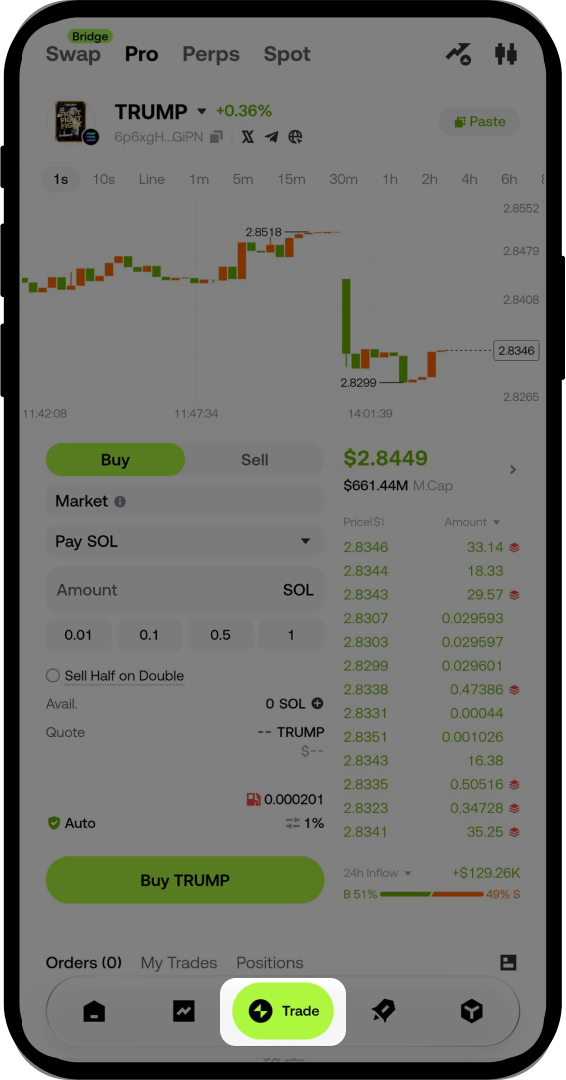
- Tap [Trade] at the bottom of the screen.
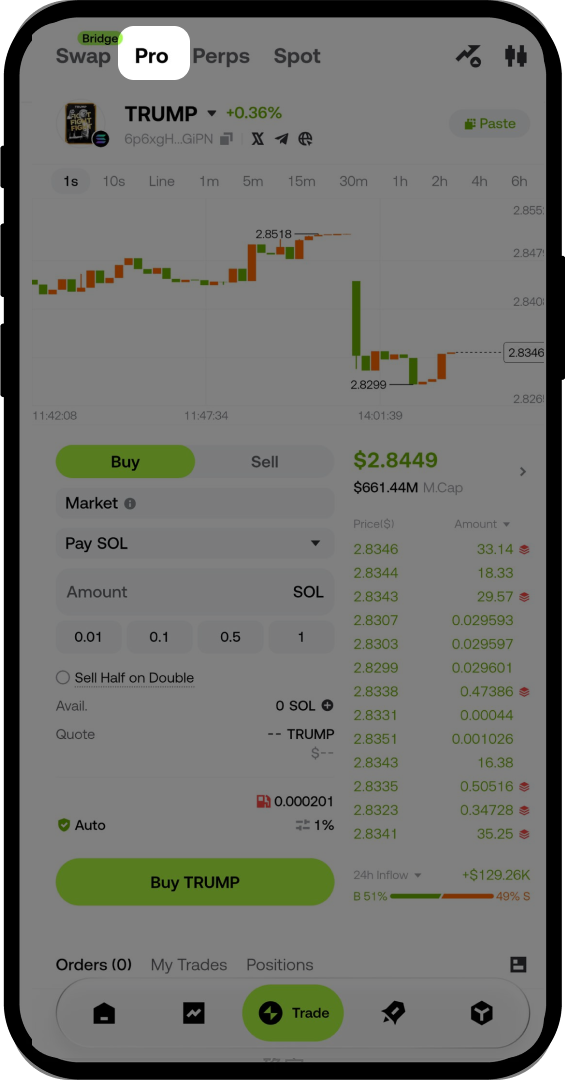
- Select [Pro] to enter the trading interface.
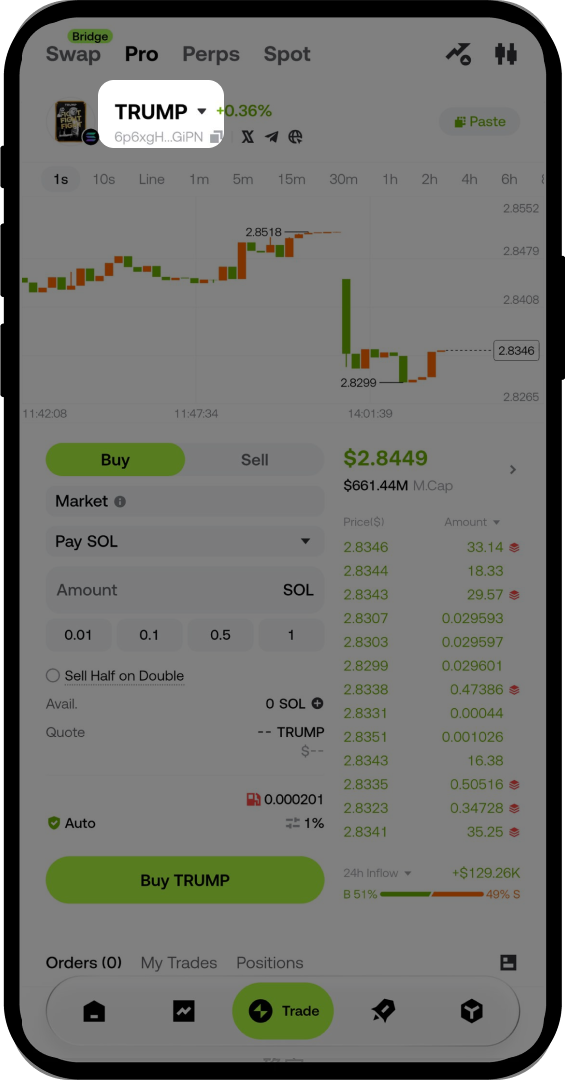
Step 5: Select a Token to Trade
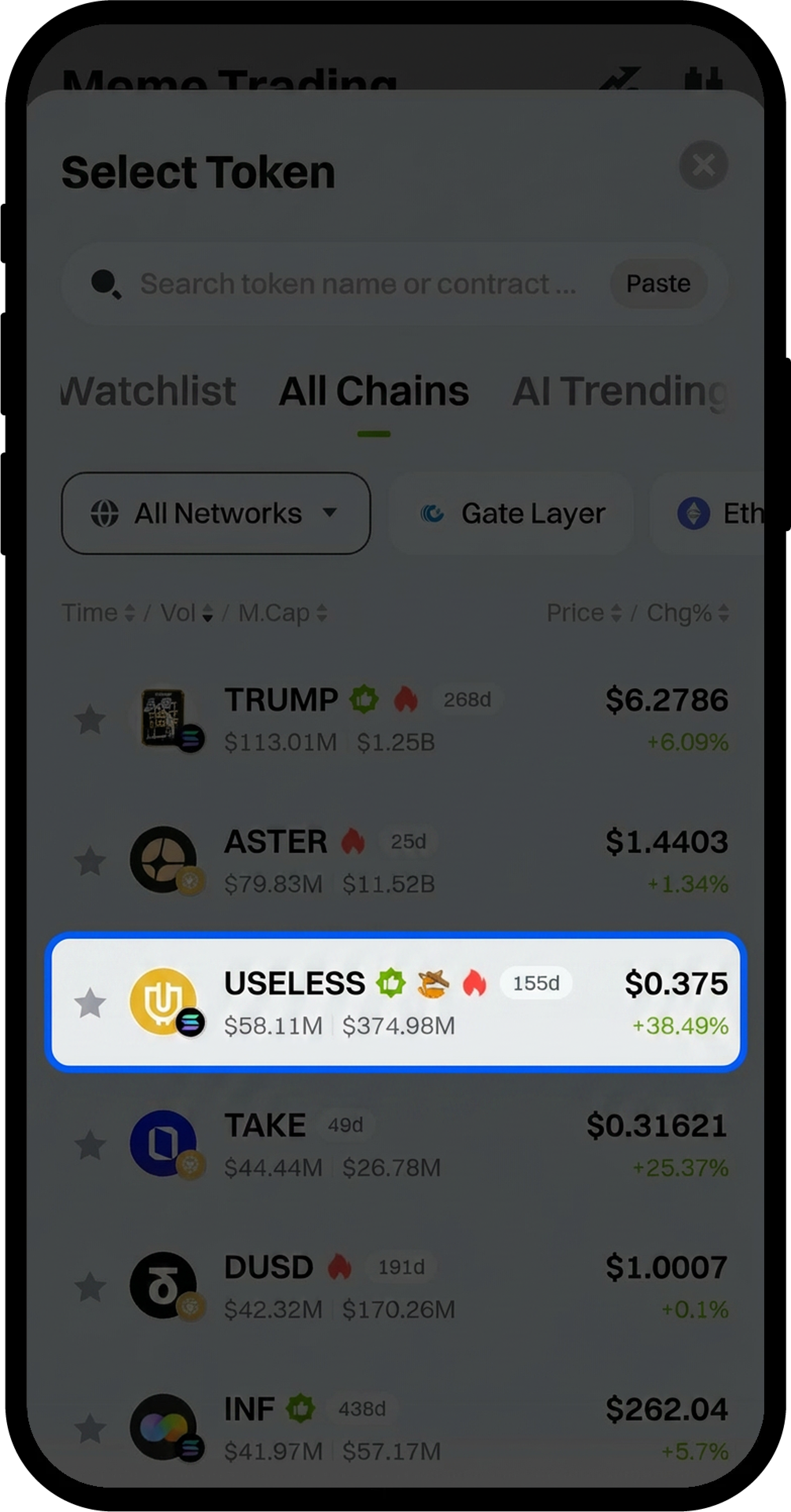
- Tap the token name and the dropdown arrow to view available tokens.
- Select the token you wish to trade from the list.
Step 6: Execute Your Trade
- Enter the trade amount in the input field.
- Configure your trade settings as needed.
- Tap [Buy] or [Sell] depending on your intended action.
- Complete the security verification to finalize your transaction.
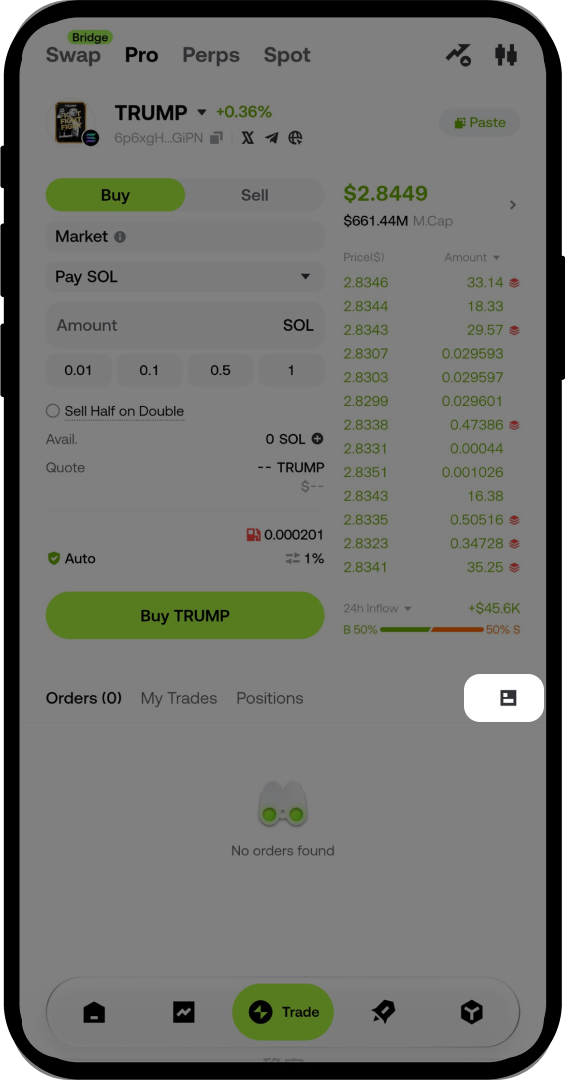
Step 7: View Trade History
- Locate the [My Trades] section on the trading interface.
- Tap [Trade History] on the right side to check your completed transactions.
Notes
- Always keep your fund password secure and do not share it with anyone.
- Ensure you have sufficient assets in your Web3 Wallet before initiating a trade.
- Digital asset trading involves significant risk, and prices may fluctuate substantially.
- Product features, interfaces, and fee structures may be updated or adjusted at any time. Please refer to the latest announcements for the most accurate details.
FAQ
Q1: Can I use the same wallet across multiple devices?
A: Yes, if you have backed up your wallet to the cloud or saved your recovery phrase, you can restore or import it on any device where the Gate App is installed.
Q2: What should I do if I forget my fund password?
A: If you forget your fund password, you will need to restore your wallet using your recovery phrase or cloud backup. You can then set a new fund password during the restoration process.
Q3: Are there trading fees for Web3 transactions?
A: Yes, Web3 transactions may incur network gas fees and platform trading fees. The specific fee structure depends on the blockchain network and token being traded. Please check the transaction details before confirming your trade.
Q4: How long does it take for a trade to complete?
A: Trade execution time depends on the blockchain network's congestion level. Typically, transactions are confirmed within a few seconds to several minutes. You can monitor the status in your Trade History.
Disclaimer
The content provided herein is for reference and educational purposes only and does not constitute any financial, investment, trading, or legal advice, nor does it constitute an offer or solicitation to buy or sell any digital assets. Gate makes no express or implied representations or warranties regarding the accuracy, completeness, or timeliness of the information contained herein. Product features, interfaces, rules, and fee structures may be updated or adjusted at any time. Please refer to the latest announcements and the actual information displayed on the Gate platform for the most accurate details.
Digital asset investments involve significant risk, and prices may fluctuate substantially. You may lose the entire amount of your investment. Please make decisions cautiously based on your own financial situation and risk tolerance after fully understanding the associated risks. If necessary, you are advised to consult an independent professional financial or legal advisor.
For more information about potential risks, please refer to Gate's Risk Disclosure and User Agreement.
