


Applicable Instructions
This guide applies to: Gate Web
Preparation required: A valid email address or mobile phone number
Estimated time: 3 minutes
Objective
This article will walk you through how to register and log in to your account on Gate Web.
Registration Steps
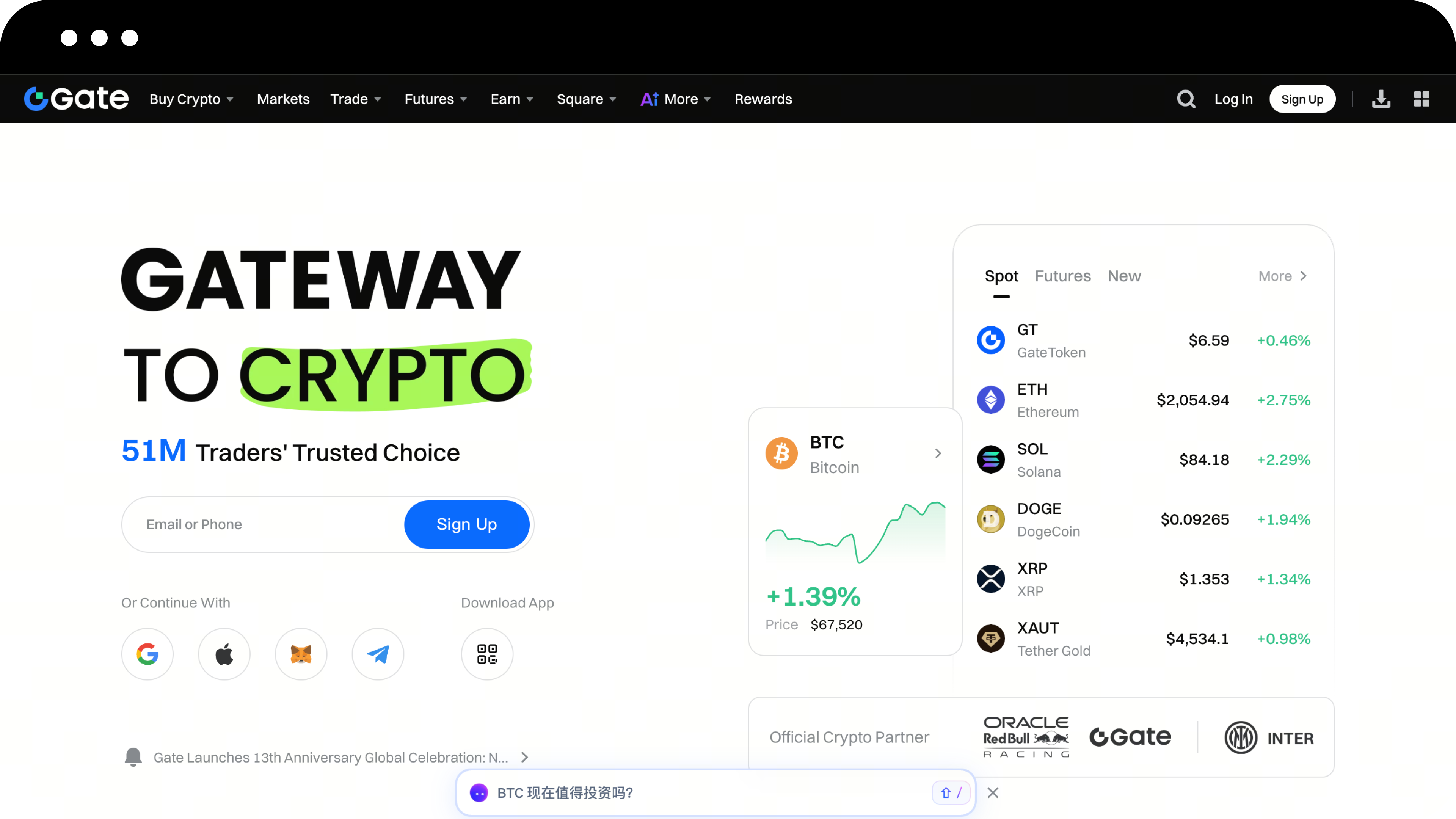
Step 1: Access the Registration Page
-
Open your browser and visit the official Gate website
-
Click the Register button in the upper right corner of the page to enter the registration page
Step 2: Select Your Country/Region of Residence
-
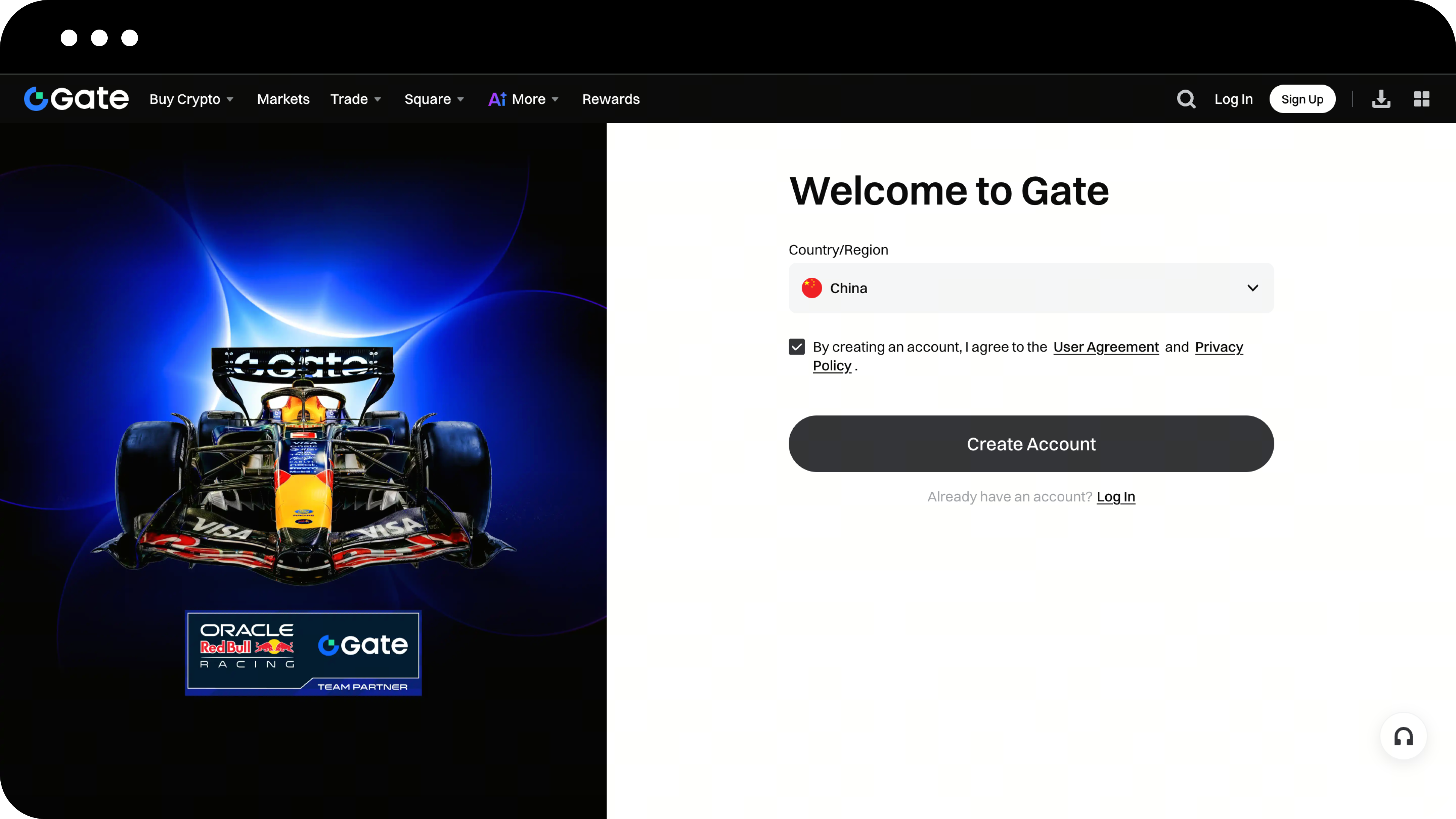
On the registration page, follow the prompts to select your "Country/Region of Residence"
-
Check the box to accept the User Agreement and Privacy Policy
-
Click the button to start creating your account
Step 3: Create Your Account
-
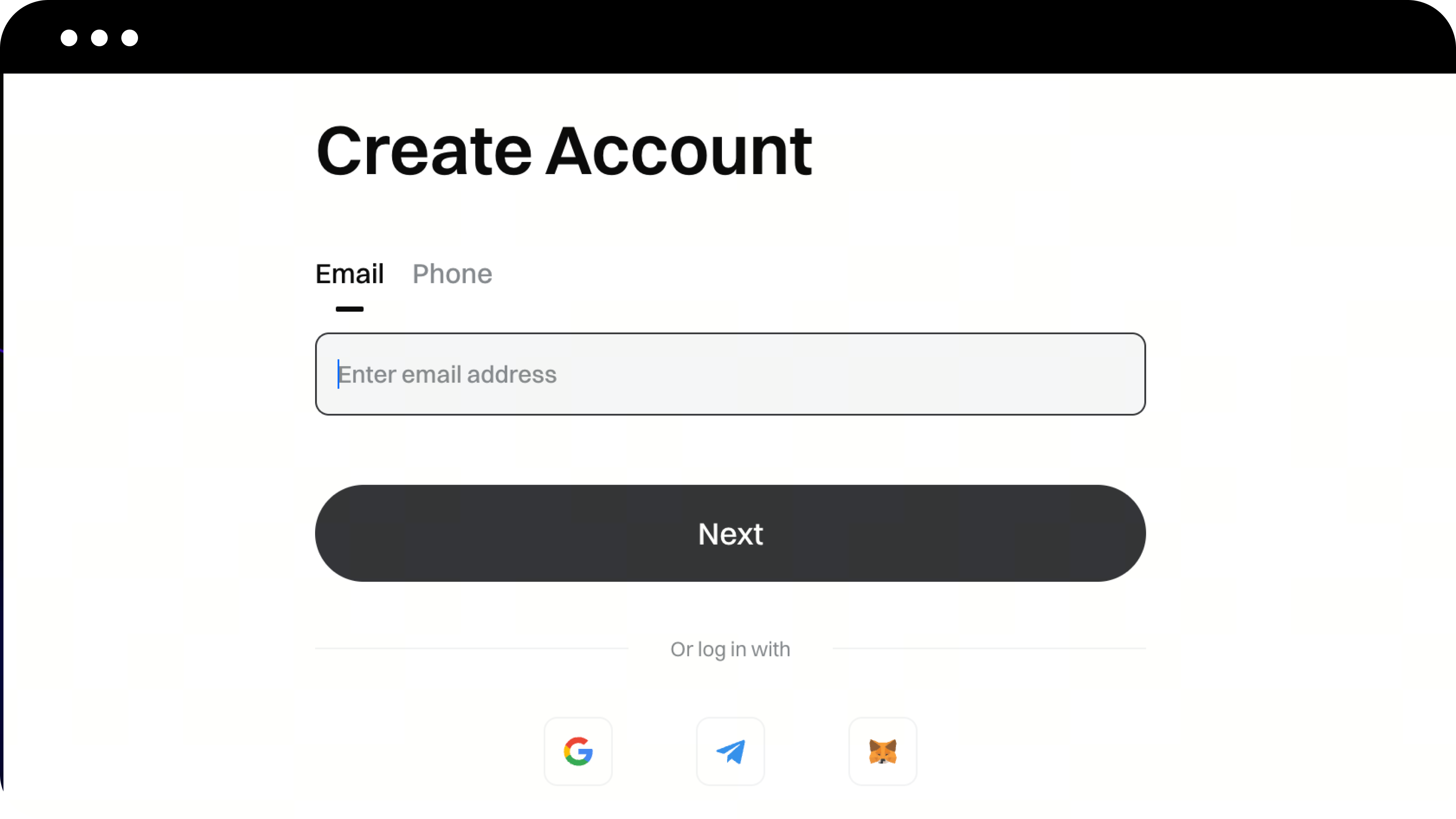
On the account creation page, choose your registration method (email or phone number)
-
Enter your email address or phone number
-
Click Next
Step 4: Enter the Verification Code
-
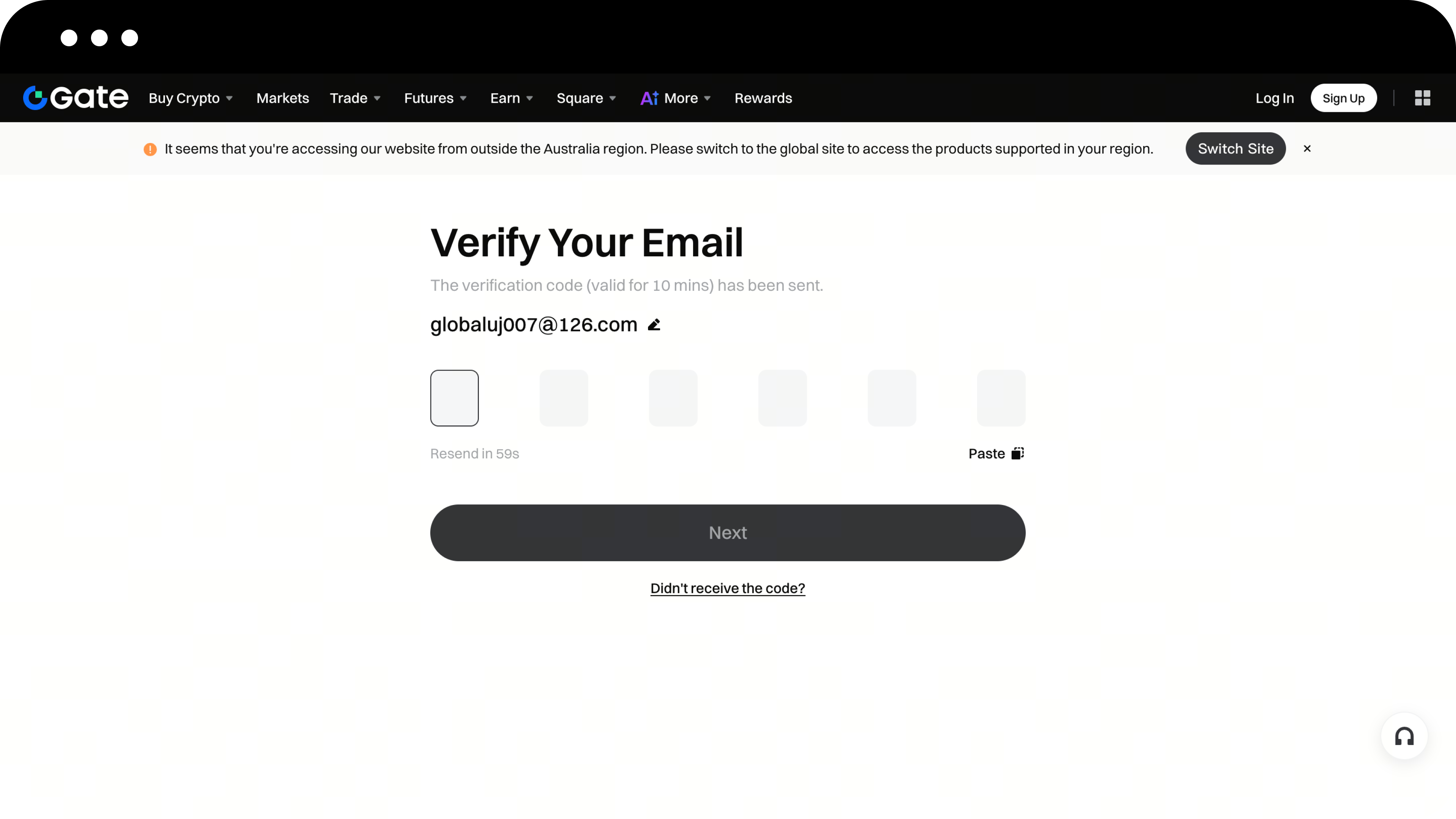
The system will send a verification code to your email or phone. Please check your inbox or messages
-
On the email/phone verification page, enter your verification code
-
Click Next
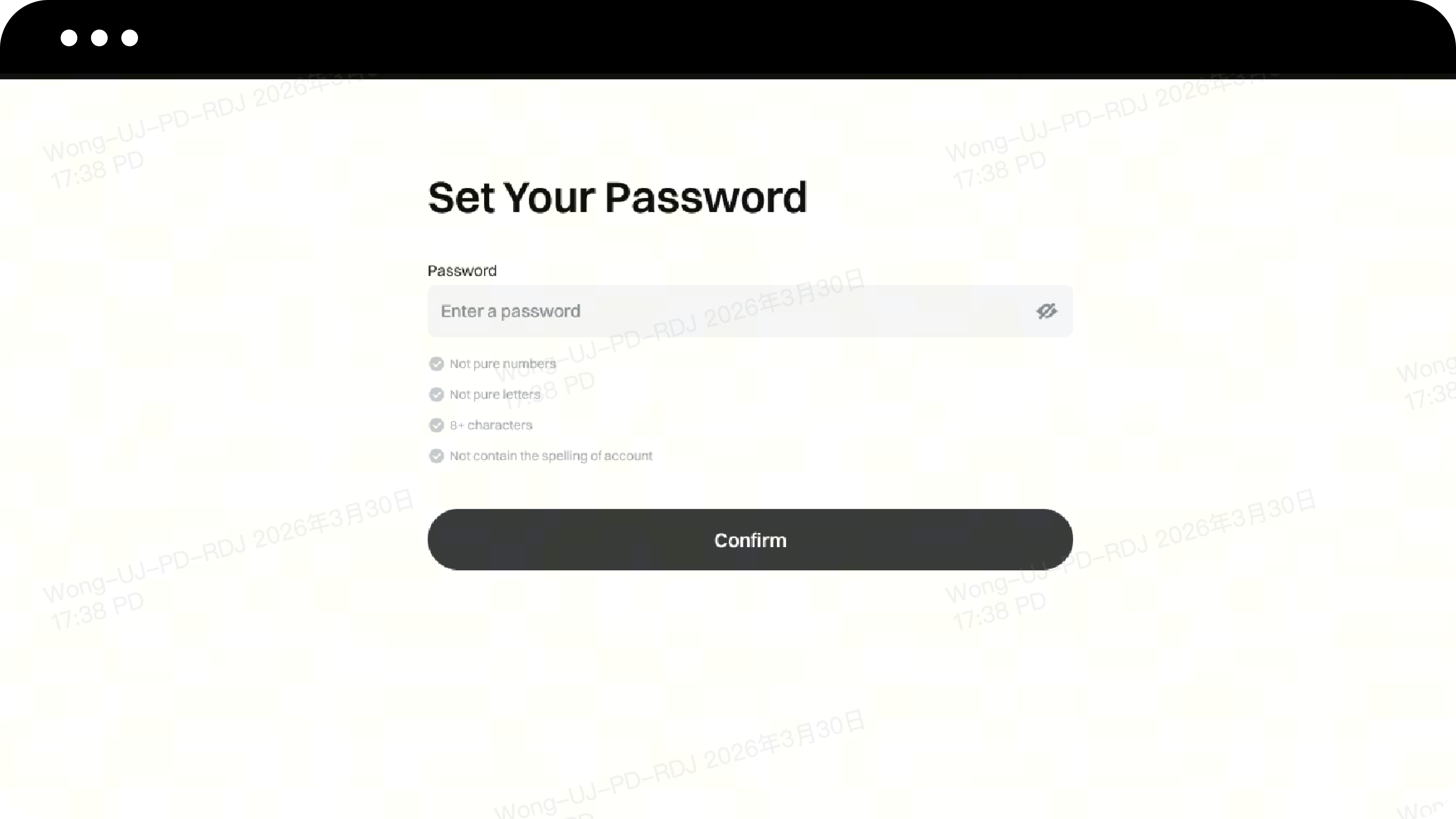
Step 5: Set Your Login Password
-
Set your login password as required
-
Click the Confirm button to complete your account registration
Login Steps
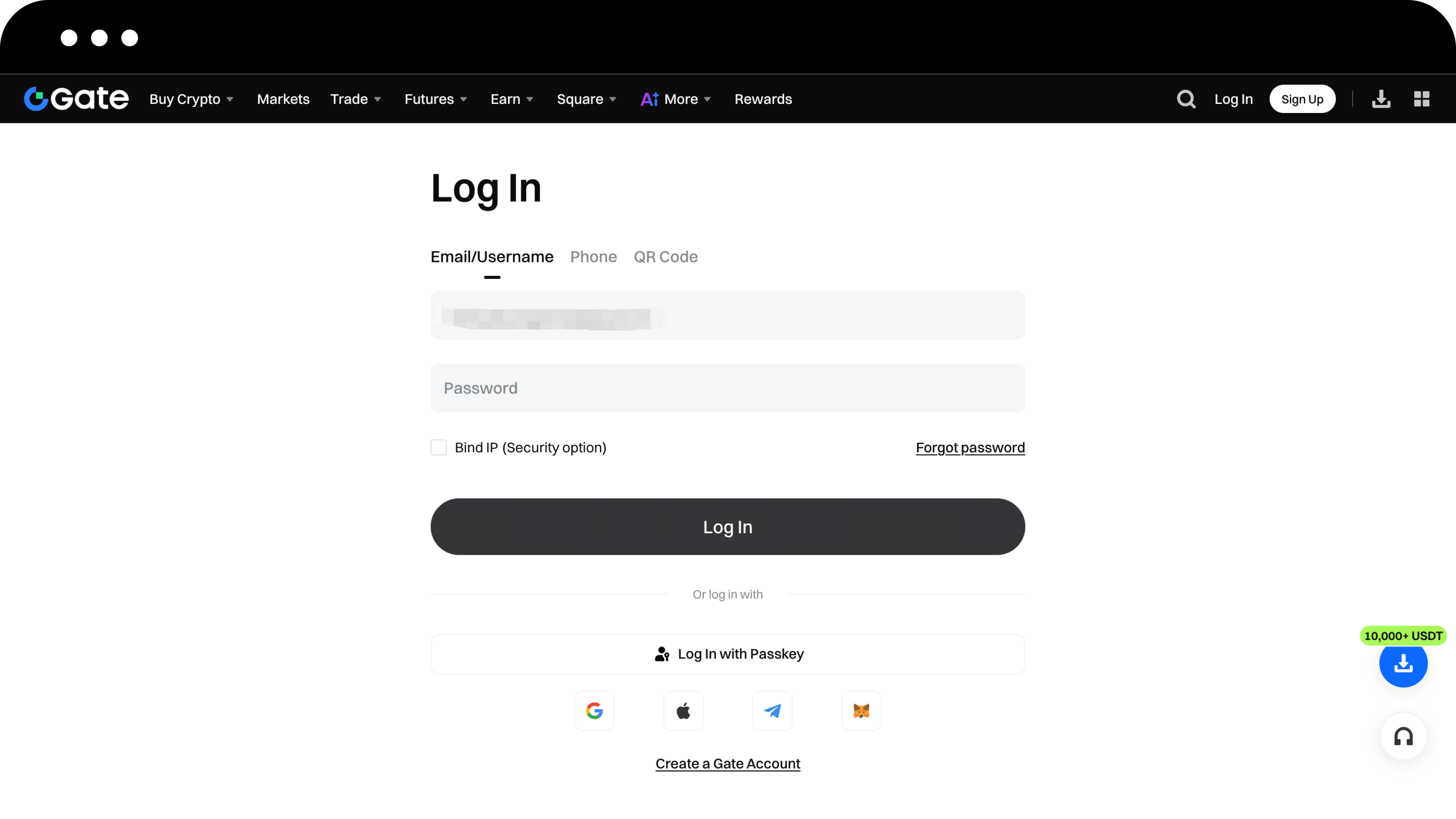
Method 1: Login with Account and Password
-
Enter the email/phone number/username you used during registration
-
Enter your password, then click Next
-
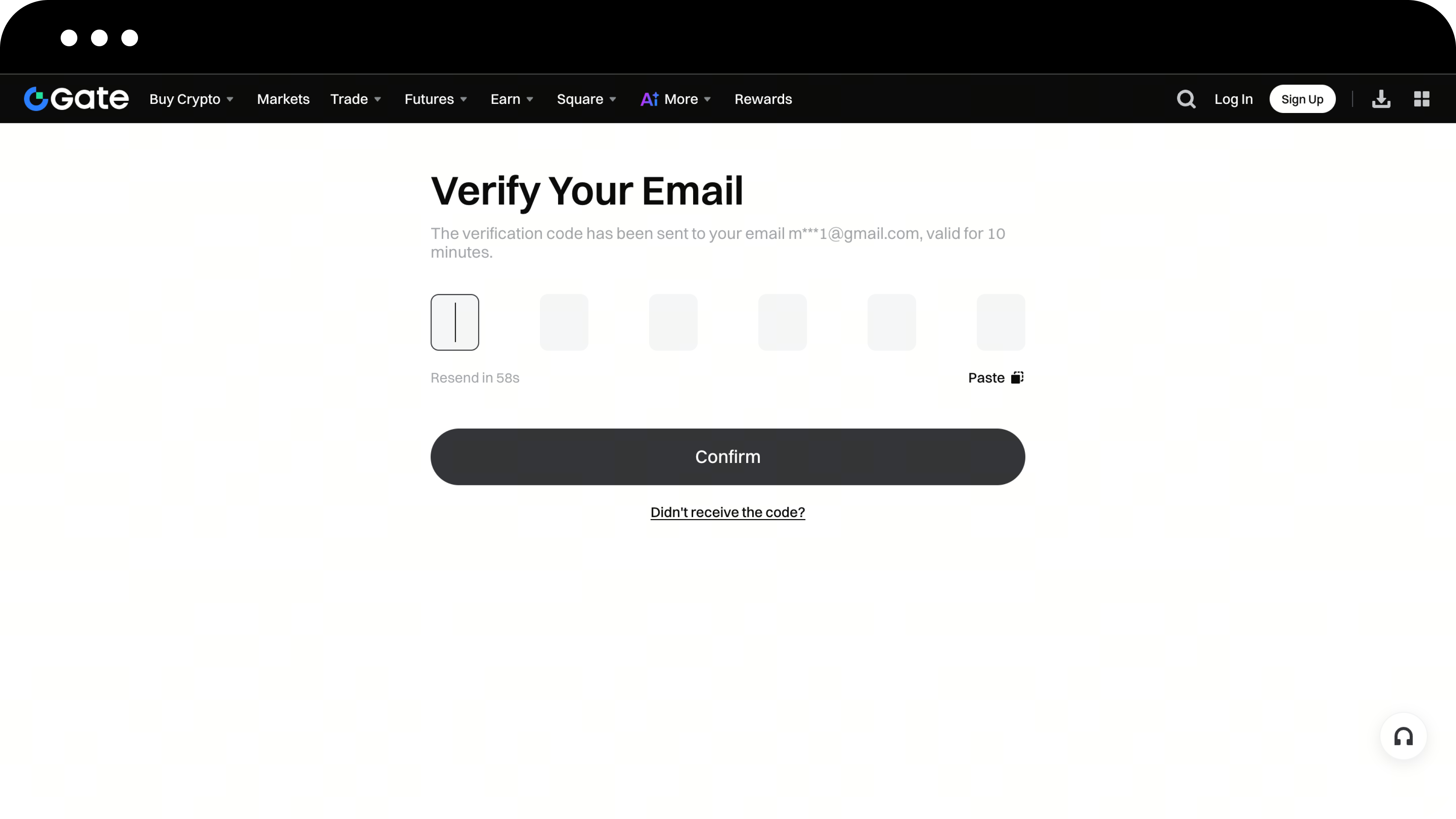
Verify your email or phone number and click Confirm
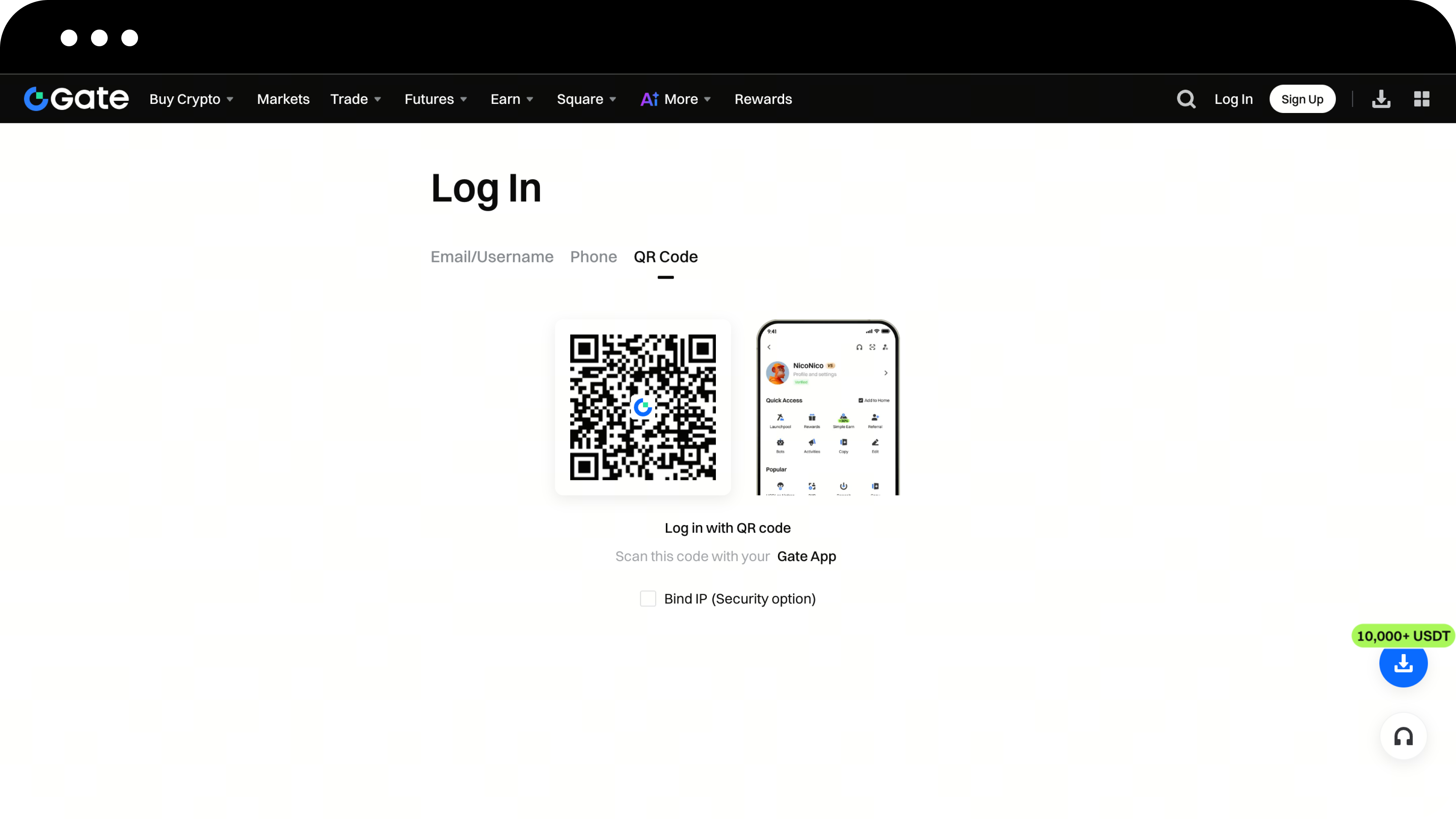
Method 2: Login via App QR Code Scan
-
On the login page, click Scan to Login
-
Open the Gate App that is already logged in with your account
-
Use the app to scan the QR code on the page to complete login
Important Notes
-
To keep your account secure, it’s recommended to enable Two-Factor Authentication (2FA) right after your first login
-
Safeguard your login password and avoid sharing it with others
-
For instructions on setting up 2FA, refer to [How to Bind or Unbind an Authenticator]
Frequently Asked Questions
Q1: What should I do if I don't receive the verification code?
A: Please check your email’s spam folder or make sure your phone number is correct. If you still haven’t received it, click the Resend button.
Q2: What if I forgot my password?
A: On the login page, click Forgot Password and follow the prompts to reset your password via email or phone number.
Q3: Can I register multiple accounts with one email address?
A: No. Each email address or phone number can only be used to register one Gate account.
Disclaimer
The content provided herein is for reference and educational purposes only and does not constitute any financial, investment, trading, or legal advice, nor does it constitute an offer or solicitation to buy or sell any digital assets. Gate makes no express or implied representations or warranties regarding the accuracy, completeness, or timeliness of the information contained herein. Product features, interfaces, rules, and fee structures may be updated or adjusted at any time. Please refer to the latest announcements and the actual information displayed on the Gate platform for the most accurate details.
Digital asset investments involve significant risk, and prices may fluctuate substantially. You may lose the entire amount of your investment. Please make decisions cautiously based on your own financial situation and risk tolerance after fully understanding the associated risks. If necessary, you are advised to consult an independent professional financial or legal advisor.
For more information about potential risks, please refer to Gate's Risk Disclosure and User Agreement.
